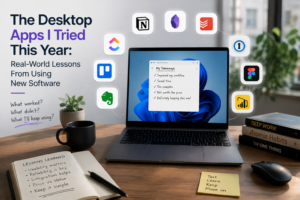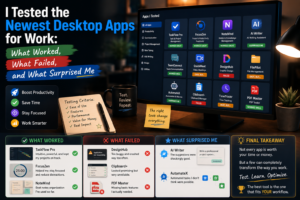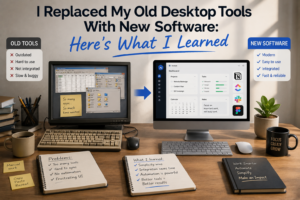
For years, I was comfortable using the same desktop applications for everyday work. I knew where everything was, understood the keyboard shortcuts, and rarely needed to explore new features. Even when newer software appeared with modern interfaces and artificial intelligence, I often wondered whether switching was actually worth the effort.
Eventually, curiosity won.
I decided to replace several of my older desktop tools with newer alternatives and use them as part of my everyday workflow. I expected better performance and more modern features, but the experience taught me something more important: upgrading software is not simply about getting more features. It is about finding tools that genuinely fit the way you work.
Leaving Familiar Software Was Harder Than Expected
The first challenge was psychological.
Older applications may not have been perfect, but I knew how to use them. I knew where the settings were, how to find files, and how to perform common tasks without thinking.
The newer applications required learning.
Even simple actions sometimes felt unfamiliar. Buttons were located in different places, menus had different names, and some familiar shortcuts did not work the same way.
For the first few days, I actually felt less productive.
That experience reminded me that familiarity has value. New software should provide enough benefits to justify the temporary learning curve.
Modern Interfaces Made Some Tasks Easier
After getting past the initial learning period, I began noticing improvements.
Many newer applications have cleaner interfaces and better organization. Important functions are easier to find, and information is often presented in a more understandable way.
Some applications also provide better search capabilities.
This became particularly useful when dealing with large numbers of documents, notes, or projects.
Instead of remembering exactly where something was stored, I could search for it and find it quickly.
A better interface may seem like a small improvement, but when used hundreds of times, small improvements can have a meaningful effect.
AI Became the Biggest Difference
The most noticeable change came from AI-powered features.
Older desktop tools generally required me to perform each step manually. Newer applications could assist with brainstorming, summarization, content organization, and repetitive tasks.
I found AI particularly useful when dealing with information.
For example, instead of reading a long document immediately, I could first create a summary to understand the main points.
When writing, AI could help generate an initial outline or suggest alternative ways to structure an idea.
However, I learned not to treat AI output as final.
Human review remained necessary, especially when accuracy and context were important.
Better Search Changed My Workflow
Another improvement was search.
I underestimated how much time I had previously spent looking for information.
Newer applications often provide faster search, better filtering, and more intelligent ways to find related content.
This was particularly helpful for documents and notes.
I no longer had to remember the exact folder where I saved something. Searching for a keyword or phrase was often enough.
It made my digital workspace feel more like a searchable library than a collection of folders.
Cloud Integration Was Convenient
The newer tools also offered better cloud integration.
Being able to access files and information across multiple devices made my workflow more flexible.
I could start something on one computer and continue elsewhere without manually transferring files.
Synchronization was not always perfect, however.
Occasionally, delays or conflicts reminded me that cloud-based workflows still require good organization and backups.
Convenience should never eliminate basic file-management habits.
Automation Saved Time
One of the biggest practical improvements was automation.
Some newer applications allowed me to automate repetitive tasks that I previously completed manually.
Simple reminders, recurring tasks, notifications, and information transfers could be handled automatically.
The time savings became noticeable after several weeks.
The important lesson was to automate carefully.
If a process is complicated and changes frequently, automation can sometimes create more maintenance work than it saves.
Some New Features Were Not Useful to Me
Replacing older software also taught me that new does not automatically mean better.
Several applications offered impressive features that I rarely used.
Advanced customization, complicated dashboards, excessive integrations, and numerous AI options looked interesting during demonstrations but did not solve any real problem in my workflow.
Meanwhile, simple features such as fast startup, reliable synchronization, easy search, and keyboard shortcuts were much more valuable.
This changed how I evaluate software.
Performance Still Matters
I also discovered that modern design cannot compensate for poor performance.
An application may look beautiful and have impressive features, but if it is slow or frequently freezes, I will eventually stop using it.
Fast startup, smooth navigation, and reliable operation became some of my most important requirements.
Good software should make work feel lighter, not heavier.
Privacy Became More Important
Switching to newer applications also made me more aware of privacy.
Modern software can sometimes access documents, cloud storage, microphones, screens, or other information to provide advanced features.
I became more careful about granting permissions and sharing sensitive information.
The more capable software becomes, the more important it is to understand what access it requires.
What I Would Do Differently
If I had to replace my software again, I would do it more gradually.
Instead of changing several applications simultaneously, I would replace one tool at a time and evaluate whether the new application actually improved my workflow.
This makes it easier to identify what works and prevents unnecessary disruption.
I would also spend more time learning the basic features before exploring advanced options.