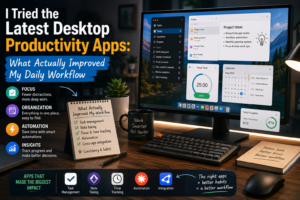
Productivity software has changed dramatically in recent years. Traditional desktop applications used to focus mainly on specific tasks such as writing documents, managing spreadsheets, organizing files, or creating presentations. Today, many productivity applications are adding artificial intelligence, automation, smart search, and integrations designed to reduce repetitive work.
I recently spent time experimenting with modern desktop productivity tools, and the experience taught me that having more features does not automatically make someone more productive. The applications that made the biggest difference were the ones that solved specific problems without creating additional complexity.
My First Impression: Too Many Choices
The first challenge was choosing which applications to try.
There are now countless productivity tools available for Windows and Mac, ranging from task managers and note-taking applications to AI assistants, meeting tools, and automation platforms. Recent software comparisons show just how broad the category has become, with tools focusing on scheduling, notes, meetings, research, project management, and workflow automation.
At first, I wanted to test everything.
That turned out to be a mistake.
Switching between too many applications made my workflow more complicated. I eventually realized that the goal was not to find the largest collection of software, but to identify a small group of tools that genuinely saved time.
AI Assistants Made Starting Tasks Easier
The biggest improvement came from AI-powered desktop assistants.
I found them particularly useful when I needed to start a task but did not know exactly how to approach it. Instead of opening a blank document and trying to organize my thoughts from scratch, I could use an AI assistant to brainstorm ideas, create an outline, summarize information, or suggest possible approaches.
Modern desktop AI is also moving beyond simple chat interfaces. Some newer applications are designed to interact with files, screens, and other software, making AI more closely integrated with the desktop workflow.
For me, the biggest benefit was not automation itself.
It was reducing the friction of getting started.
Task Management Became More Useful With Automation
I have always used some form of task list, but modern task management software made the process more flexible.
Instead of simply recording what I needed to do, newer tools can help break larger projects into smaller tasks, organize priorities, and connect tasks with calendars or other applications.
This was especially useful when I had several projects happening at the same time.
However, I learned not to over-organize.
Creating dozens of categories, tags, labels, and priorities can turn task management into another task. A simple list with realistic deadlines worked better for my everyday workflow.
Note-Taking Software Saved Me From Searching Through Old Files
Another improvement came from modern note-taking and knowledge-management applications.
Previously, I often stored information in different documents and folders. Finding something I had written several weeks earlier could take longer than expected.
Modern note-taking platforms increasingly combine documents, search, databases, and AI features. Some can search across large collections of information and help users retrieve relevant material more quickly.
This changed how I think about notes.
Instead of treating notes as temporary pieces of information, I began treating them as a personal knowledge library.
Automation Was Great for Repetitive Tasks
Automation tools produced some of the clearest time savings.
Whenever I noticed myself repeating the same digital process, I asked whether it could be automated.
Simple workflows involving notifications, data entry, file organization, and routine updates were particularly good candidates.
The important lesson was to automate predictable processes first.
Complex automation can be impressive, but it can also become difficult to troubleshoot. If an automated workflow requires constant maintenance, the time savings may disappear.
Meeting Tools Reduced the Need for Manual Notes
AI-powered meeting applications were another interesting development.
Modern meeting assistants can transcribe conversations, summarize discussions, identify important points, and help turn meetings into searchable information. Current productivity tools increasingly treat meeting information as something that can be organized and reused rather than simply forgotten after the call ends.
I found this especially useful when meetings contained multiple decisions or action items.
Instead of trying to write everything down manually, I could concentrate more on the conversation and review the organized notes afterward.
Of course, important information still deserves human review.
Notifications Were Still a Problem
Ironically, some productivity software created a new productivity problem: notifications.
Every application seemed to want my attention.
Messages, reminders, task updates, AI suggestions, and calendar alerts could quickly become distracting.
I eventually reduced notifications to only the ones that were genuinely important.
This was one of the most useful lessons from the entire experiment. Productivity software should help protect your attention, not constantly compete for it.
The Most Useful Apps Were Not Always the Most Advanced
After testing different tools, I noticed a pattern.
The applications that improved my workflow were not necessarily the ones with the most impressive demonstrations.
They were the tools that solved specific problems reliably.
An AI assistant that helped me create a useful first draft was valuable. A simple task manager that kept projects organized was valuable. A note-taking system that helped me find information quickly was valuable.
Extra features mattered much less if I did not actually use them.
What Actually Changed My Workflow?
After experimenting with modern desktop productivity software, three improvements stood out.
First, AI reduced the amount of time needed to start certain tasks.
Second, automation reduced repetitive manual work.
Third, better organization and search made information easier to find.
These improvements may sound simple, but together they made my daily workflow noticeably smoother.
Final Thoughts
My experience with modern desktop productivity applications taught me that productivity is not about installing as many tools as possible.
In fact, the opposite may be true.
The most effective workflow is usually built around a small number of applications that work well together and solve genuine problems.
AI is becoming an increasingly important part of that workflow, but it should be used selectively. Not every task needs artificial intelligence, and not every new feature deserves attention.
The best productivity software is the software that quietly removes friction from your day.
After trying the latest generation of desktop tools, that is the lesson I would keep: choose software based on the work you actually need to accomplish, not the number of features advertised on the screen.