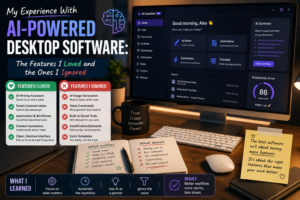
AI-powered desktop software has changed considerably in a short period of time. Applications that once operated as simple tools for writing, searching, organizing files, or managing tasks are increasingly adding artificial intelligence to their workflows. In 2026, desktop AI tools range from traditional assistants and writing applications to screen-aware software, voice tools, automation platforms, and AI applications that can interact with other programs.
I decided to spend some time experimenting with this new generation of software. My goal was not to find the application with the most impressive feature list. Instead, I wanted to discover which features actually made everyday computer work easier.
The results were mixed. Some features became surprisingly useful, while others looked impressive but rarely found a place in my daily routine.
AI Assistance Was the Feature I Used Most
The feature I appreciated most was straightforward AI assistance.
Instead of opening a separate browser tab every time I needed help brainstorming, rewriting text, summarizing information, or organizing an idea, desktop AI software made assistance easier to access.
The biggest advantage was reducing interruptions.
When I am already working on a document, switching to another application can break concentration. A desktop assistant that is available through a shortcut or integrated interface makes it easier to ask a quick question and return to the task.
That small improvement added up over time.
Screen Awareness Was Surprisingly Useful
One of the more interesting features I tried was screen-aware assistance.
Modern desktop AI applications are increasingly capable of using information visible on the screen as context. Some tools can analyze what is displayed and provide suggestions based on it. Recent desktop AI developments show this becoming a significant direction for productivity software.
I found this useful when dealing with unfamiliar interfaces, error messages, or complicated information.
Instead of describing everything manually, I could use the visible context as a starting point.
However, I did not use this feature constantly. It was most valuable when the information on screen was directly relevant to the question.
Voice Input Was Better Than I Expected
Another feature I initially underestimated was voice input.
Typing is natural for many computer tasks, but speaking can be much faster when brainstorming or creating a rough draft.
Modern AI voice tools can combine speech recognition with AI cleanup, allowing spoken ideas to become more organized text. Desktop AI assistants increasingly offer voice-first workflows alongside traditional keyboard interaction.
I particularly liked using voice input when I had an idea but did not want to interrupt my current workflow.
It was not perfect, but it was useful enough to become part of my routine.
AI Summaries Saved Time
Summarization was another feature that earned a permanent place in my workflow.
Long documents, meeting notes, research material, and collections of information can take a lot of time to review manually.
AI summaries provided a quick overview that helped me decide which sections deserved closer attention.
However, I learned not to rely on summaries blindly.
A summary is useful for orientation, but important details can sometimes be lost. For critical information, I still prefer to read the original material.
Automation Was Powerful but I Used It Carefully
AI-powered automation sounded like one of the most exciting features when I began testing these applications.
The idea of telling software what I want and allowing it to perform multiple steps is extremely appealing. Modern computer-use systems are increasingly moving toward this model, with AI agents capable of interacting with browsers, files, and applications.
I enjoyed using automation for simple, repetitive tasks.
However, I was more cautious when an AI needed permission to perform important actions automatically.
There is a big difference between asking AI to organize information and allowing it to send messages, modify important files, or make decisions without supervision.
For me, human approval remained important for anything consequential.
Features I Mostly Ignored
Not every AI feature impressed me.
One example was excessive customization.
Some applications offered complicated AI settings, multiple modes, extensive prompt configurations, and advanced workflows. These options can be valuable for experienced users, but I found myself ignoring many of them.
I generally preferred a simple instruction and a useful result.
Another feature I rarely used was AI-generated decorative content. Some applications can generate various extras simply because they can. If a feature does not solve a real problem, I usually do not have a reason to use it.
AI Everywhere Can Become Distracting
I also discovered that integrating AI into every application is not necessarily better.
When every program offers an assistant, suggestion, summary, notification, or automated recommendation, the digital workspace can become noisy.
I started disabling features that interrupted my concentration.
This taught me that good software should know when to stay quiet.
An assistant is most useful when it is available when needed without constantly demanding attention.
Privacy Became More Important
The more capable desktop AI software becomes, the more carefully I think about privacy.
Features that can access documents, screens, emails, or other applications can be extremely convenient, but they also involve information that may be sensitive.
I became more cautious about which applications I allowed to access certain files or workflows.
Convenience is valuable, but it should not automatically override security and privacy considerations.
The Features That Actually Stayed
After experimenting with different AI-powered desktop capabilities, only a few became essential to my workflow.
AI assistance, summarization, voice input, and selective automation provided the most practical value.
Screen awareness was useful in specific situations, while advanced customization and unnecessary AI features were mostly ignored.
The pattern was clear: the features I kept were the ones that reduced friction without requiring constant management.
Final Thoughts
My experience with AI-powered desktop software changed my expectations about what productivity applications should do.
I no longer look at an application and ask only whether it has AI. I ask what the AI actually helps me accomplish.
The most valuable features are not necessarily the most futuristic ones. Sometimes a simple summary, quick voice command, useful suggestion, or small automation can save more time than an elaborate AI system.
Desktop software is clearly moving toward deeper AI integration, including assistants that can understand screen context and eventually perform more complex computer tasks.
But my experience has taught me that more automation is not always better.
The best AI software is the software that gives me more control over my time while staying out of the way when I do not need it.