Discord started as a communication platform for gamers, but it has grown far beyond gaming.
Today, Discord communities exist around software development, education, entertainment, hobbies, music, technology, and countless other interests.
Its desktop application remains one of the most popular ways to participate in these communities.
What Is Discord?
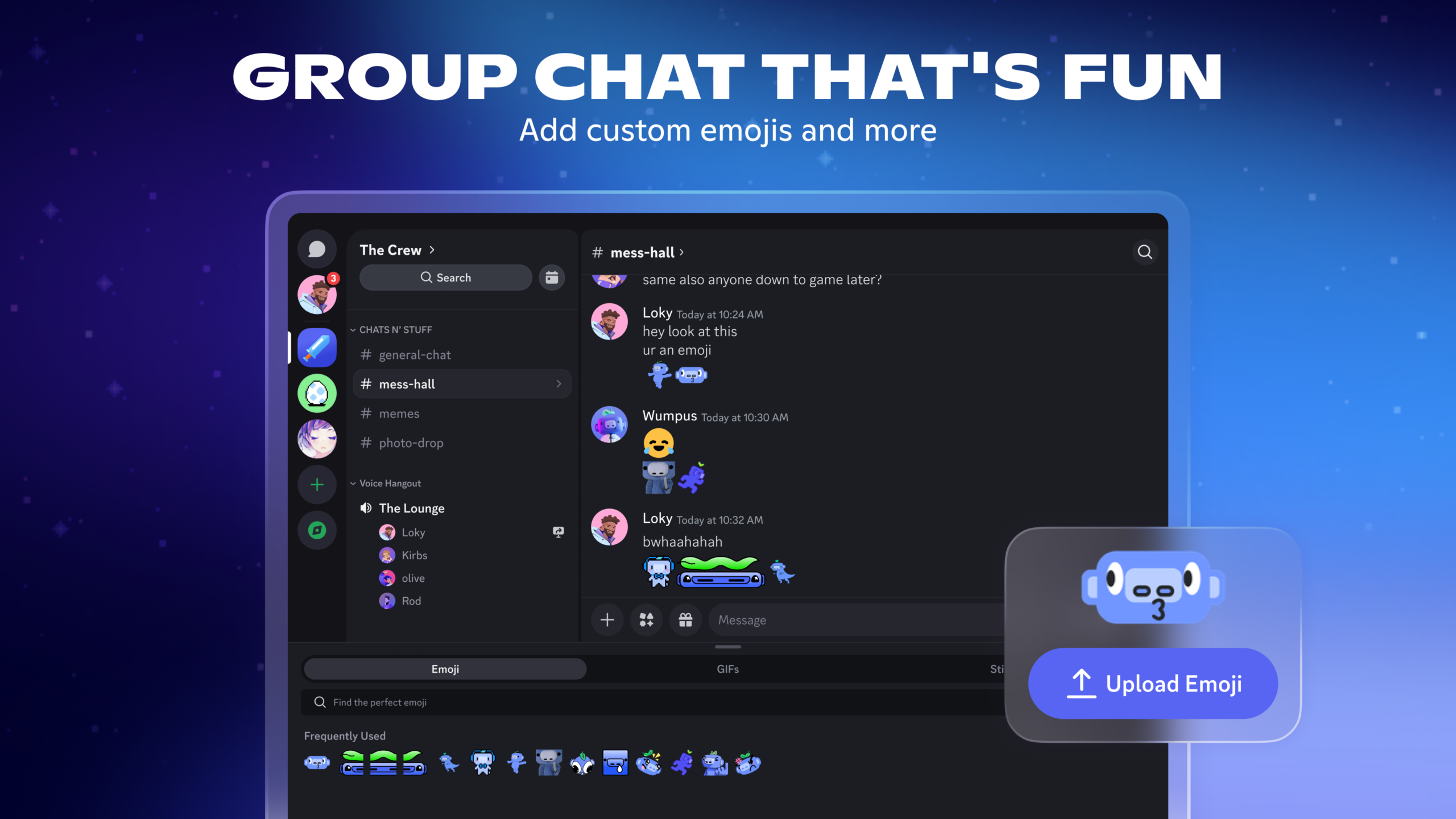
Discord is a communication platform built around servers, channels, direct messages, voice communication, and video.
The desktop application provides a richer experience than simply using Discord in a browser.
Users can communicate through text, voice, and video while participating in communities organized around specific topics.
Main Features
Discord servers can contain multiple text and voice channels.
This organization makes Discord different from traditional messaging applications.
A gaming community might have separate channels for announcements, general discussion, technical support, and individual games.
Voice channels allow users to join conversations without making a traditional phone call.
Discord also supports screen sharing and streaming, making it useful for gaming and collaborative activities.
User Experience
The desktop application is generally convenient for people who spend a lot of time in Discord.
Notifications can appear while users work on other tasks, and the application can remain available in the background.
However, large servers can become overwhelming.
New users may encounter dozens or even hundreds of channels.
Learning how roles, permissions, threads, bots, and server organization work takes time.
User Review Summary
Users commonly praise Discord for bringing large communities and private conversations together in one application.
Gamers particularly appreciate voice channels because friends can communicate while playing.
Community administrators also value the large ecosystem of bots and moderation tools.
Criticism often focuses on interface complexity, notifications, and the sheer amount of information visible in large communities.
Pros
- Excellent community features
- Voice and video communication
- Screen sharing
- Large ecosystem
- Great for gaming
- Useful for technical communities
- Desktop and mobile support
Cons
- Large servers can be confusing
- Notifications can become excessive
- Some advanced features require paid plans
- Privacy and community moderation require attention
Who Should Use Discord?
Discord is suitable for gamers, developers, students, creators, clubs, online communities, and teams that want informal communication.
It is particularly powerful when a group needs both text and voice communication in the same place.
Official Download: Discord Download