Professional photo-editing software can be expensive, but not everyone needs a subscription-based creative suite.
GIMP has long been one of the most important free alternatives for image editing. With the GIMP 3.x generation continuing to mature, the application remains relevant to photographers, designers, students, and hobbyists.
What Is GIMP?
GIMP stands for GNU Image Manipulation Program.
It is a free and open-source image editor available for desktop operating systems.
GIMP can be used for photo retouching, image composition, graphic design, web graphics, and many other tasks.
GIMP 3.2.6 was released in September 2026. The official project provides Windows, macOS, and Linux builds.
Main Features
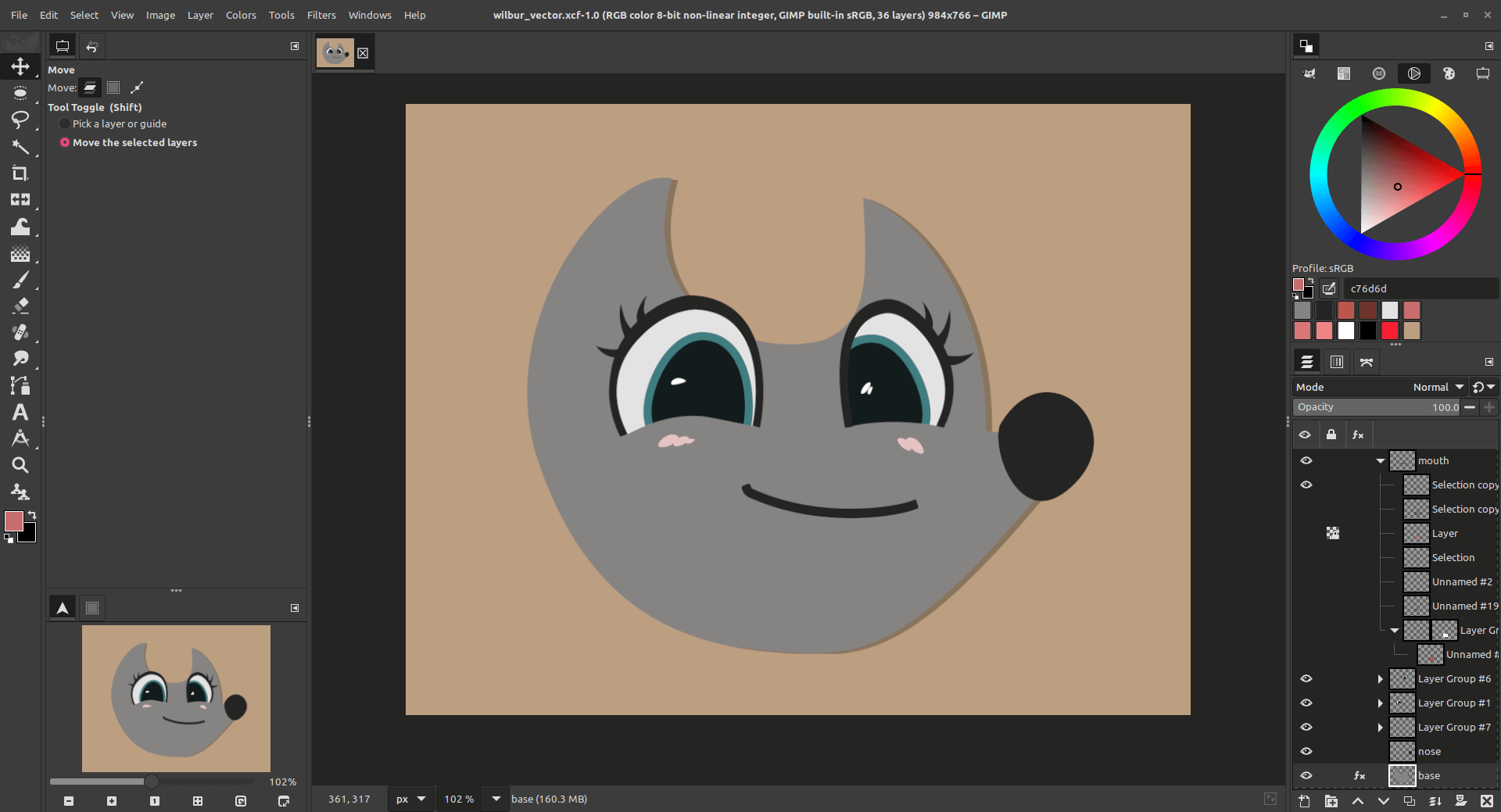
GIMP includes layers, masks, filters, selections, color adjustments, brushes, paths, and numerous editing tools.
The layer system makes it possible to build complex compositions.
Users can also customize the application with plugins and other extensions.
For people who are accustomed to professional image editors, the overall concept will feel familiar.
User Experience
GIMP is powerful, but beginners may need time to understand it.
The interface contains many tools and options.
The advantage is that users can perform serious editing without paying a monthly subscription.
The disadvantage is that people coming from simpler photo-editing applications may initially feel overwhelmed.
User Review Summary
One of the most common positive opinions about GIMP is its value.
It offers a large collection of editing features without requiring users to purchase a traditional commercial graphics package.
Advanced users also appreciate its flexibility and open-source nature.
Some users criticize the learning curve and differences between GIMP and commercial editing applications.
These differences are important because switching from one application to another often requires relearning shortcuts and workflows.
Pros
- Free and open-source
- Powerful editing tools
- Layers and masks
- Cross-platform
- Extensible
- Suitable for advanced editing
- No mandatory subscription
Cons
- Learning curve
- Interface may feel complex
- Some professional workflows differ from Photoshop
- Advanced users may need plugins
Who Should Use GIMP?
GIMP is suitable for bloggers, photographers, students, designers, small businesses, and anyone who needs advanced image editing without a recurring software subscription.
It is also an excellent learning tool for people who want to understand professional image-editing concepts.
Final Verdict
GIMP 3.2 demonstrates why open-source creative software remains important.
It may not perfectly replicate every feature or workflow of commercial applications, but it provides an impressive collection of tools for free.
For users who want powerful desktop image editing without a subscription, GIMP deserves serious consideration.
Official Download: GIMP Downloads