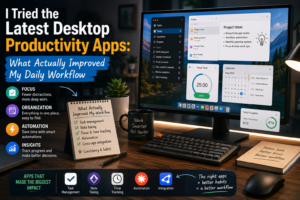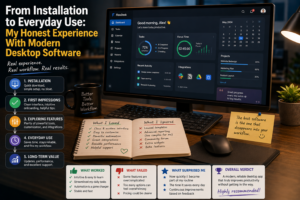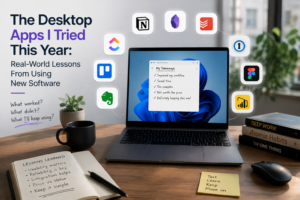
Every year, new desktop applications promise to change the way we work. Some focus on artificial intelligence, others on productivity, communication, project management, creativity, or file organization. The feature lists can be impressive, but reading about software is very different from actually using it every day.
This year, I decided to spend more time experimenting with newer desktop applications instead of simply looking at their specifications. I wanted to understand what really made a difference in my workflow, what became frustrating, and which features were genuinely useful.
The experience gave me several practical lessons about choosing and using modern software.
I Started With Too Many Applications
My first mistake was trying to install too many applications at once.
I wanted to compare different productivity tools, AI assistants, note-taking programs, task managers, and communication applications. Initially, I thought this would help me find the perfect combination.
Instead, it created confusion.
Each application had a different interface, notification system, account structure, and workflow. I spent more time switching between programs than completing actual tasks.
This was my first major lesson: more software does not automatically mean greater productivity.
Eventually, I narrowed my collection down to applications that solved specific problems.
AI Tools Changed the Way I Started Tasks
AI-powered desktop applications were among the most interesting tools I tried.
Their biggest advantage was not necessarily completing an entire task automatically. For me, the real benefit was helping me get started.
When I had a rough idea for a document, article, presentation, or project, AI could help create an outline or suggest different approaches.
This eliminated the frustrating first few minutes of staring at an empty screen.
I still needed to review and improve the output, but having a starting point made the process much easier.
Note-Taking Became More Organized
I also experimented with modern note-taking software.
Previously, my notes were scattered across different files and folders. I could remember writing something but sometimes struggled to find it later.
Modern note-taking applications offer better search, organization, linking, synchronization, and sometimes AI-assisted retrieval.
This changed how I approached information.
Instead of creating notes only for immediate use, I began building a collection of information that could be searched and reused later.
The most useful feature was not necessarily the visual design. It was being able to find old information quickly.
Task Management Helped Me See the Bigger Picture
Another category I tested was project and task management software.
I found these applications especially helpful when several projects were active simultaneously.
Instead of keeping everything in my head, I could create tasks, assign deadlines, set priorities, and track progress.
However, I learned that organization can become excessive.
I initially created too many categories and labels. Eventually, I simplified the system.
A small number of clear categories worked much better than a complicated structure that required constant maintenance.
Automation Saved Time in Unexpected Places
Automation was one of the most practical features I tested.
I looked for repetitive tasks that happened regularly and tried to reduce the amount of manual work involved.
Simple processes such as reminders, notifications, information transfers, and routine updates were good candidates for automation.
The results were surprisingly useful.
Saving a few minutes on one task may not seem important, but repeating that task every day or week can make the difference noticeable over time.
However, I also discovered that automation should be introduced carefully. Complicated workflows can become difficult to troubleshoot when something goes wrong.
Communication Apps Were Useful but Distracting
Modern communication software made it easier to exchange information quickly.
Instead of relying entirely on email, short messages and shared workspaces could be used for quick questions and project updates.
The downside was constant interruption.
Every new application seemed to have its own notifications.
I eventually disabled alerts that were not essential. This helped me protect periods of focused work.
The lesson was simple: communication should be convenient without becoming a constant source of distraction.
Some Impressive Features Were Completely Ignored
One of the funniest things I discovered was that many of the features I found most impressive during demonstrations were features I rarely used.
Advanced customization, complicated dashboards, unusual visual effects, and extensive configuration options looked interesting but did not necessarily improve my daily work.
Meanwhile, simple features such as fast search, reliable synchronization, keyboard shortcuts, and easy file access became essential.
This taught me to evaluate software based on actual use rather than marketing presentations.
Performance Matters More Than I Expected
Another important lesson was performance.
A program can offer excellent functionality, but if it takes too long to launch or frequently becomes unresponsive, using it becomes frustrating.
I began paying more attention to how quickly applications opened, how smoothly they handled files, and how they performed during longer work sessions.
Reliability is not an exciting feature, but it is one of the most important.
Privacy Became Part of My Software Decisions
AI-powered applications also made me think more carefully about privacy.
Some modern applications can access documents, files, or other information to provide smarter features.
Before enabling these capabilities, I became more interested in understanding what data an application needed and how it handled that information.
Convenience is valuable, but responsible software use also requires awareness of what information is being shared.
What I Learned From the Experience
After trying different desktop applications this year, I changed the way I choose software.
I no longer ask only, “What can this application do?”
I ask, “What problem will this application solve for me?”
That small change has made software decisions much easier.
An application does not need hundreds of features to be useful. It needs to perform the tasks that matter reliably and without unnecessary complexity.