When AI-powered software started appearing everywhere, I was curious but also somewhat skeptical. I had already used traditional desktop applications for years, so I wondered whether adding artificial intelligence would genuinely improve my workflow or simply give familiar software a new marketing label.
I decided to find out for myself.
For one month, I incorporated several types of AI-powered desktop applications into my everyday routine. I used them for writing, research, organization, note-taking, and repetitive tasks. The experience was not perfect, but it was surprisingly educational.
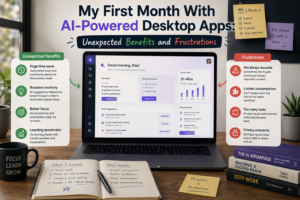
Some benefits appeared almost immediately. Others took time to appreciate. I also encountered frustrations that reminded me that AI software still needs human supervision.
The First Week Was Mostly About Learning
During the first few days, I was more interested in discovering what the applications could do than actually improving my productivity.
There were AI assistants, smart search features, automated summaries, writing suggestions, and various productivity functions.
It was tempting to try everything.
That turned out to be counterproductive.
I spent too much time exploring menus and settings instead of completing my normal work. Eventually, I stopped experimenting with every feature and focused on a few practical tasks.
That was the first lesson: AI is useful only when it solves a real problem.
The Biggest Benefit Was Getting Started
The most noticeable improvement came when I had to start a task from scratch.
Sometimes the hardest part of writing or planning is simply deciding where to begin. AI helped by generating ideas, creating basic outlines, or suggesting different approaches.
I did not always use the generated material directly.
Instead, I treated it as a starting point.
That small change made certain tasks feel much easier. Rather than beginning with an empty screen, I had something to evaluate and improve.
Research Became Faster
AI-powered research features also became useful during the month.
Instead of immediately reading through large amounts of information, I could first create summaries or identify the main concepts.
This helped me decide which information deserved closer attention.
However, I quickly learned that speed should not be confused with accuracy.
An AI-generated summary can leave out important details or misunderstand context. For anything important, I still checked the original material.
AI made the research process faster, but it did not remove the need for careful reading.
I Started Using AI for Repetitive Tasks
Another unexpected benefit was using AI to assist with repetitive work.
Tasks such as reorganizing information, rewriting rough notes, categorizing content, and creating basic drafts became easier.
These were not necessarily difficult tasks, but they could consume significant amounts of time when repeated regularly.
AI helped reduce some of that workload.
The key was choosing predictable tasks. I was much more comfortable using AI for routine assistance than for decisions that required significant judgment.
Voice Input Was Surprisingly Useful
One feature I did not expect to use frequently was voice input.
Typing is normally my preferred way to interact with desktop software, but speaking ideas aloud was surprisingly convenient when brainstorming.
I could explain a rough idea without worrying about grammar or formatting and then use software to organize the result.
It was especially useful when I had several ideas at once.
I still edited the final text, but voice input helped capture thoughts before they disappeared.
Frustration #1: AI Does Not Always Understand Context
One of my biggest frustrations was incorrect assumptions.
Sometimes I gave an AI tool what seemed like a clear instruction, but the result did not match what I actually wanted.
The response might be technically reasonable but completely unsuitable for the specific situation.
I learned that context matters.
Providing additional information, examples, constraints, and the intended outcome usually produced better results.
This meant that using AI effectively required some effort from me as well.
Frustration #2: Too Many Suggestions
Another problem was excessive assistance.
Some applications seemed determined to suggest something every time I performed an action.
Recommendations, summaries, writing suggestions, notifications, and automated prompts could quickly become distracting.
I eventually disabled features that interrupted my concentration.
This taught me that good AI software should know when to help and when to remain quiet.
Frustration #3: Privacy Concerns
AI-powered desktop applications also made me think more carefully about privacy.
Some tools can interact with files, documents, or other information on a computer.
While this can be convenient, I became more cautious about what information I allowed applications to access.
I started reviewing permissions and avoiding the use of sensitive information in situations where I was not comfortable sharing it.
Convenience should always be balanced with responsible data handling.
AI Did Not Replace My Existing Software
Another unexpected lesson was that I did not need to replace everything.
Traditional desktop applications remained useful.
I still preferred conventional tools for many straightforward tasks, while AI was most useful for brainstorming, summarization, organization, and repetitive work.
The best workflow became a combination of traditional software and AI assistance.
What Changed After One Month?
After thirty days, I noticed that I had become more selective.
I no longer asked whether an application had AI.
Instead, I asked whether the AI feature actually improved my workflow.
That distinction made a big difference.
Features that saved time or reduced mental effort became part of my routine. Features that looked impressive but added complexity were ignored.
Final Thoughts
My first month with AI-powered desktop applications was neither a complete success nor a disappointment.
The technology genuinely helped me get started faster, process information more efficiently, capture ideas, and reduce repetitive work.
At the same time, I experienced incorrect assumptions, unnecessary suggestions, privacy concerns, and the temptation to rely too heavily on automation.
The biggest lesson was simple: AI works best as an assistant, not as an unquestioned replacement for human judgment.
Modern desktop software can make everyday work significantly easier, but only when the technology is used thoughtfully.
After one month, I am no longer impressed simply because an application includes AI. What matters to me now is whether that intelligence quietly saves time, reduces frustration, and helps me produce better work.
That is a much more useful measure of modern software than the number of AI features listed on its homepage.