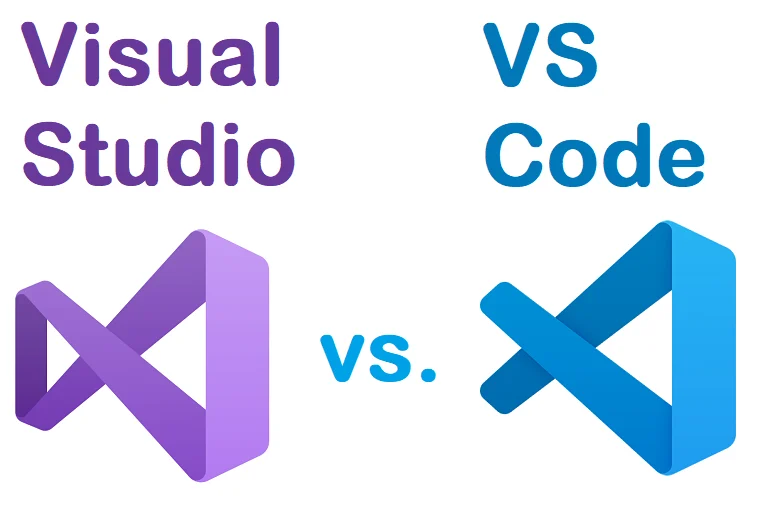
Choosing a code editor is an important decision for developers. The right application can make programming faster, easier, and more organized. Visual Studio Code, commonly called VS Code, has become one of the most recognizable desktop code editors because it combines a lightweight interface with powerful extensions and modern development features.
In 2026, the relationship between VS Code and artificial intelligence has made the application even more interesting for developers.
What Is Visual Studio Code?
Visual Studio Code is a source-code editor developed by Microsoft. It runs on Windows, macOS, and Linux and supports a huge variety of programming languages and development workflows.
Unlike a traditional full-featured integrated development environment, VS Code starts relatively lightweight and allows users to customize the environment with extensions.
This flexibility is one of its biggest strengths.
Features
VS Code supports syntax highlighting, debugging, integrated terminals, source control, extensions, workspace management, and many other developer tools.
Extensions allow users to customize the editor for different programming languages and frameworks.
For example, a web developer can install tools for HTML, CSS, JavaScript, TypeScript, PHP, or popular frameworks. A Python developer can install Python-specific tools. Developers working with Git can manage repositories directly inside the application.
AI-assisted development has also become an important part of the modern VS Code experience.
User Experience
The first impression can be slightly overwhelming for beginners because VS Code has an enormous ecosystem.
There are menus, panels, extensions, terminals, source-control tools, settings, and development features.
However, after learning the basics, many users find the interface efficient.
Experienced developers especially appreciate the ability to create a personalized workspace.
The integrated terminal is another major advantage. Instead of switching between the editor and a separate command prompt, developers can run commands directly inside VS Code.
User Review Summary
Users commonly praise VS Code because it is flexible, fast enough for everyday development, and available across multiple operating systems.
The extension marketplace is frequently mentioned as one of its strongest features.
However, some users dislike the fact that the application can become complicated after installing too many extensions. A heavily customized installation may also consume considerably more resources than a clean installation.
Beginners may therefore benefit from installing only the extensions they actually need.
Pros
- Free for general use
- Windows, macOS, and Linux support
- Huge extension ecosystem
- Integrated terminal
- Git and source-control integration
- Strong modern development features
- Excellent customization
Cons
- Can become complicated for beginners
- Too many extensions can affect performance
- Requires configuration for some workflows
- Advanced development may require additional tools
Who Should Use It?
VS Code is suitable for beginners learning programming as well as professional developers.
It is especially attractive to web developers, Python developers, software engineers, students, and people who work with Git.
For developers who want one customizable editor rather than a separate application for every programming language, VS Code remains a compelling choice.
Final Verdict
Visual Studio Code continues to be one of the most versatile desktop development environments available. Its combination of extensions, integrated tools, source control, and AI-oriented development features makes it relevant to modern programming workflows.
The biggest recommendation is simple: start with a clean installation and add extensions only when you need them.
Official Download: Visual Studio Code
3. OBS Studio Review 2026: Is It Still the Best Free Screen Recorder and Streaming App?
Streaming and screen recording have become normal activities for gamers, educators, developers, creators, and businesses. Among desktop applications in this category, OBS Studio remains one of the most recognizable names.
Its biggest attraction is simple: it provides professional-level recording and streaming capabilities without requiring a traditional subscription.
What Is OBS Studio?
OBS Studio is open-source software for video recording and live streaming. It supports Windows, macOS, and Linux.
The current official download page lists OBS Studio 32.2.2 and provides installers for Windows and macOS, along with Linux installation options.
OBS can capture a desktop, individual application windows, webcams, microphones, and other media sources.
Main Features
The application is built around scenes and sources.
A scene can contain multiple sources, allowing users to create sophisticated layouts.
For example, a gaming streamer could combine a game capture, webcam, microphone, alerts, and graphical overlays.
A teacher could create a presentation scene containing a screen capture and webcam.
A software reviewer could record a desktop application while displaying a camera feed.
This flexibility is what separates OBS from simple screen-recording applications.
User Experience
OBS has a reputation for being powerful but not immediately simple.
A new user may open the application and wonder where to begin. Scenes, sources, audio mixers, encoders, bitrate settings, output profiles, and streaming services can appear confusing.
After learning the basic concepts, however, the workflow becomes much easier.
The good news is that users do not need to configure every advanced option immediately.
A beginner can start with a simple scene containing a display capture and microphone.
User Review Summary
Users frequently praise OBS because it offers a large amount of functionality for free.
Streamers particularly appreciate the ability to create custom scenes and control multiple video and audio sources.
Another major advantage is its open-source nature.
On the other hand, users sometimes complain about the learning curve. Poorly configured settings can also produce dropped frames, high CPU usage, or poor recording quality.
The solution is usually to configure OBS according to the computer’s hardware rather than simply choosing the highest possible quality.
Pros
- Free and open-source
- Excellent streaming capabilities
- Powerful recording tools
- Highly customizable
- Supports multiple sources
- Windows, macOS, and Linux support
- Large community
Cons
- Steeper learning curve
- Configuration can be confusing
- Poor settings can affect performance
- Advanced features require experimentation
Who Should Use OBS?
OBS is ideal for YouTubers, Twitch streamers, educators, gamers, software reviewers, online teachers, and businesses that need screen recording.
It is probably excessive for someone who only wants to record a five-minute clip once a month.
For regular creators, however, OBS can replace several simpler applications.
Official Download: OBS Studio