Introduction
As businesses grow, managing finances often becomes more challenging. Companies need more than basic bookkeeping software—they require systems that can connect accounting with inventory, sales, purchasing, customer management, manufacturing, human resources, and other core business operations.
This is where Enterprise Resource Planning (ERP) software plays an important role. Rather than using separate applications for every department, an ERP platform allows businesses to manage multiple functions from a single integrated system.
Among the many ERP solutions available today, Odoo has gained worldwide recognition for its modular design, flexibility, and open-source foundation. One of its most popular modules is Odoo Accounting, a cloud-based and on-premise accounting solution designed to streamline financial management while integrating seamlessly with the rest of the Odoo ecosystem.
In this comprehensive review, we’ll examine Odoo Accounting’s features, pricing, advantages, disadvantages, and determine whether it remains one of the best ERP accounting solutions for growing businesses in 2026.
What Is Odoo Accounting?
Odoo Accounting is a financial management module within the broader Odoo ERP platform. It enables businesses to manage accounting, bookkeeping, invoicing, expenses, bank reconciliation, taxes, and financial reporting while remaining connected to other operational modules such as inventory, sales, purchasing, manufacturing, and customer relationship management (CRM).
Unlike standalone accounting software, Odoo Accounting is designed to work as part of an integrated business management system. This means financial data automatically flows between departments, reducing duplicate data entry and improving operational efficiency.
Businesses can deploy Odoo through cloud hosting, private servers, or on-premise installations, depending on their technical requirements and deployment preferences.
Key Features
1. Double-Entry Accounting
Odoo Accounting supports standard double-entry bookkeeping, allowing businesses to maintain accurate financial records.
Users can:
- Record journal entries
- Manage general ledger accounts
- Track debits and credits
- Generate trial balances
- Maintain accurate financial statements
These core accounting functions provide a solid foundation for businesses of various sizes.
2. Smart Bank Reconciliation
Reconciling bank transactions is often one of the most time-consuming accounting tasks.
Odoo simplifies this process by allowing users to:
- Connect bank accounts
- Import bank transactions
- Match payments automatically
- Reconcile transactions efficiently
- Detect discrepancies
Automation helps reduce manual bookkeeping while improving financial accuracy.
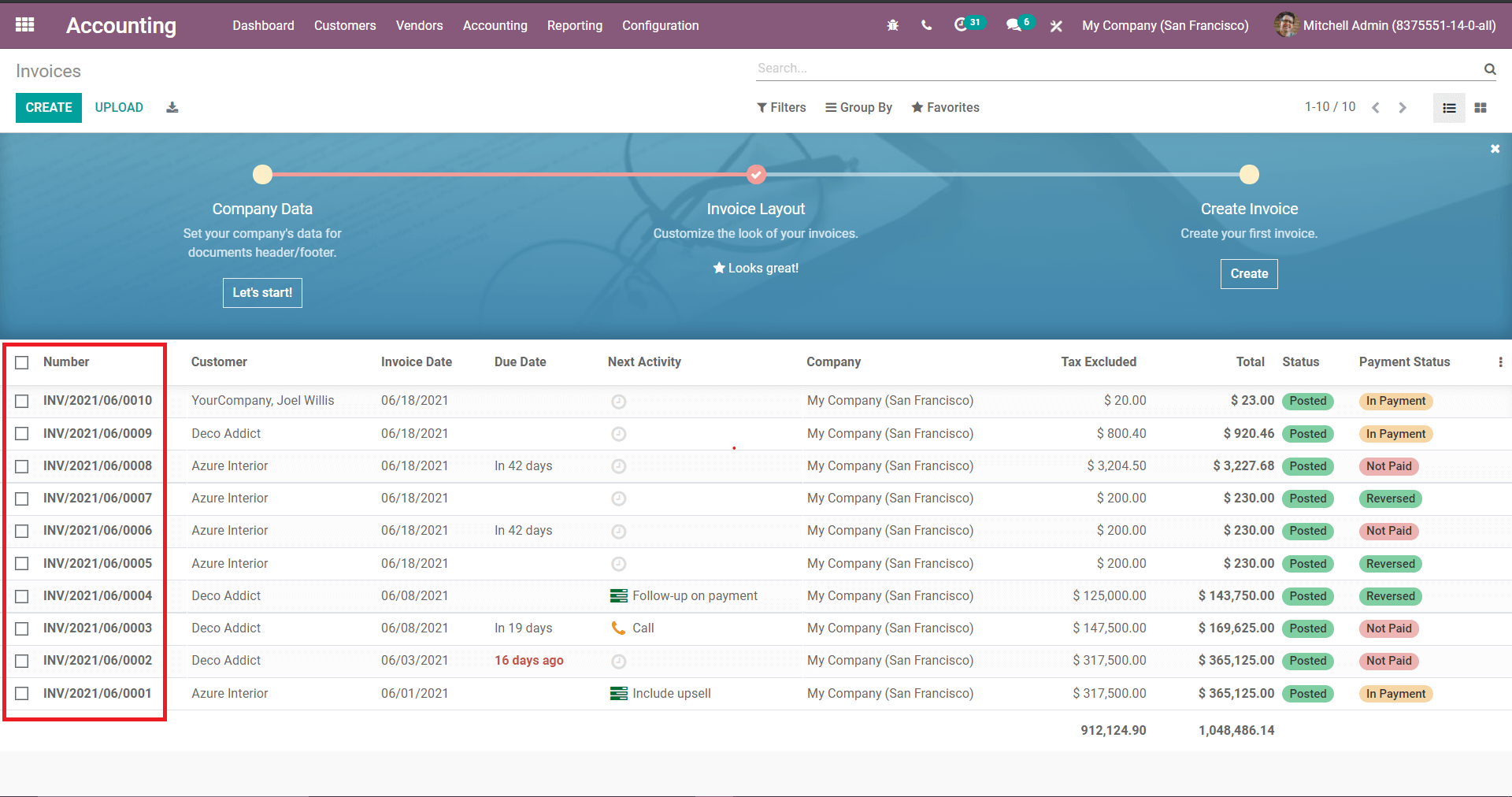
3. Professional Invoicing
Odoo Accounting includes comprehensive invoicing tools.
Businesses can:
- Create customer invoices
- Generate vendor bills
- Schedule recurring invoices
- Accept online payments through supported gateways
- Track invoice status
- Send automated payment reminders
Because invoicing is integrated with sales and inventory modules, financial records update automatically when transactions occur.
4. Expense Management
Tracking business expenses is simple with Odoo.
Users can:
- Record employee expenses
- Upload receipts
- Categorize spending
- Approve reimbursements
- Monitor departmental expenses
- Analyze operational costs
This functionality improves expense visibility while supporting accurate bookkeeping.
5. Financial Reporting
Odoo provides numerous financial reports that help businesses evaluate performance.
Available reports include:
- Profit and Loss Statement
- Balance Sheet
- Cash Flow Statement
- General Ledger
- Trial Balance
- Tax Reports
- Accounts Receivable
- Accounts Payable
- Budget Reports
Reports can often be customized according to business requirements.
6. Tax Management
Managing taxes is an essential part of accounting.
Odoo includes tools that help businesses:
- Configure tax rules
- Calculate taxes automatically
- Generate tax reports
- Manage tax rates
- Support regional tax requirements
Tax functionality varies depending on local regulations and system configuration.
7. Integration with Odoo ERP Modules
One of Odoo Accounting’s greatest strengths is its seamless integration with other Odoo applications.
Businesses can connect accounting with:
- Sales
- Inventory
- Purchasing
- CRM
- Manufacturing
- Human Resources
- Payroll (where available)
- Project Management
- Helpdesk
- E-commerce
This integrated approach helps eliminate duplicate data entry while improving business visibility.
Ease of Use
Odoo features a modern web-based interface that is organized into easy-to-navigate modules.
The accounting dashboard provides quick access to:
- Bank balances
- Outstanding invoices
- Vendor bills
- Financial reports
- Customer payments
- Key accounting metrics
While the basic interface is intuitive, businesses implementing multiple ERP modules may require some training during the initial setup process.
Automation Features
Automation is one of Odoo’s biggest advantages.
Businesses can automate:
- Invoice creation
- Recurring billing
- Payment reminders
- Bank reconciliation
- Expense approvals
- Workflow notifications
- Financial reporting
- Approval processes
Automation reduces repetitive work while improving accounting efficiency.
Multi-Company Management
Growing organizations often operate multiple legal entities or subsidiaries.
Odoo Accounting supports:
- Multi-company management
- Separate accounting records
- Consolidated reporting
- Intercompany transactions
- Company-specific tax settings
These capabilities are especially useful for expanding businesses with complex organizational structures.
Mobile Accessibility
Odoo offers mobile-friendly access, allowing users to:
- View financial dashboards
- Review invoices
- Approve expenses
- Monitor accounting data
- Access reports
This flexibility allows business owners and finance teams to stay informed while working remotely.
Security
Protecting financial information is a priority for every business.
Odoo includes several security features, including:
- Secure cloud hosting
- Data encryption
- User permission management
- Role-based access controls
- Audit logs
- Automatic backups (depending on deployment)
- Regular software updates
These features help maintain data integrity and secure financial operations.
Pricing
Odoo offers flexible pricing because businesses can choose only the applications they need.
Costs generally depend on:
- Number of users
- Selected Odoo modules
- Cloud or on-premise deployment
- Enterprise features
- Implementation services
The Community Edition is open source and available without licensing fees, while the Enterprise Edition includes additional features, official support, and enhanced functionality through a subscription model.
This modular pricing structure allows businesses to scale the platform as their operational needs evolve.
Pros
Odoo Accounting offers numerous advantages:
- Comprehensive accounting functionality
- Seamless ERP integration
- Open-source Community Edition
- Excellent workflow automation
- Flexible deployment options
- Strong invoicing capabilities
- Multi-company support
- Extensive customization possibilities
- Scalable architecture
- Suitable for many industries
Cons
Despite its strengths, Odoo Accounting has some considerations:
- Initial ERP implementation may require technical expertise or assistance from an implementation partner.
- Businesses using many modules may face a steeper learning curve.
- Enterprise features require a paid subscription.
- Customizations can increase implementation time and maintenance complexity.
These factors are common among modular ERP platforms.
Best Businesses for Odoo Accounting
Odoo Accounting is particularly suitable for:
- Small businesses
- Medium-sized businesses
- Growing enterprises
- Manufacturers
- Wholesalers
- Retail businesses
- E-commerce companies
- Professional service firms
- Distribution companies
- Technology companies
- Organizations seeking an integrated ERP solution
Businesses planning long-term growth often benefit the most from Odoo’s modular architecture.
Customer Support
Support options vary depending on the edition being used.
Available resources include:
- Official documentation
- Knowledge base
- Community forums
- Video tutorials
- User guides
- Certified implementation partners
- Enterprise customer support
- Training resources
The active Odoo community also provides valuable learning materials and shared expertise.
Is Odoo Accounting Worth It in 2026?
Odoo Accounting remains one of the most flexible accounting solutions available, particularly for businesses seeking an integrated ERP platform rather than standalone bookkeeping software.
Its ability to connect accounting with inventory, sales, manufacturing, purchasing, CRM, and project management makes it an excellent choice for organizations looking to centralize business operations.
While implementation may require more planning than simpler accounting applications, businesses with long-term growth objectives are likely to benefit from Odoo’s scalability, automation, and modular design.
Odoo Accounting vs. Traditional Accounting Software
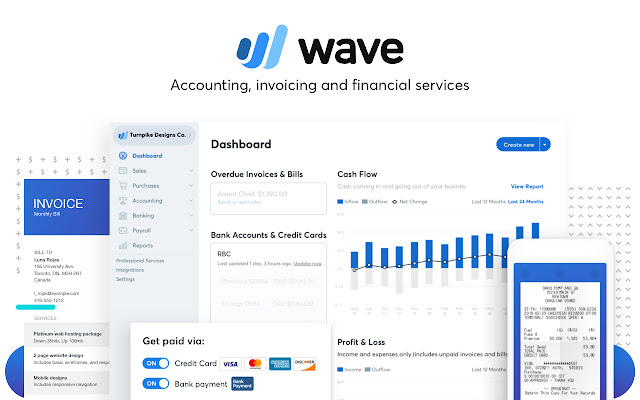
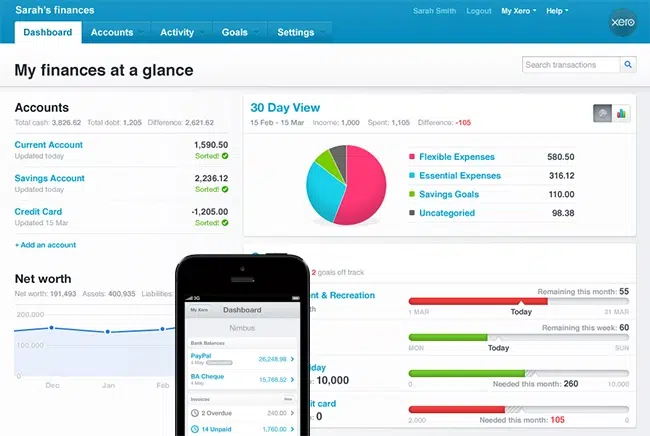
Compared with standalone accounting platforms such as QuickBooks Online, Xero, or FreshBooks, Odoo Accounting offers a broader business management experience.
Traditional accounting software generally focuses on bookkeeping, invoicing, and financial reporting, making it ideal for freelancers and small businesses with straightforward accounting needs.
Odoo Accounting, by contrast, is designed as part of a complete ERP ecosystem. It integrates accounting with inventory, purchasing, manufacturing, CRM, project management, and other operational functions, making it more suitable for businesses that want to manage multiple departments through a single platform.
The best choice depends on the complexity of your business and your long-term operational goals.
Final Verdict
Overall Rating: 4.8/5
Pros
- Powerful accounting features
- Integrated ERP platform
- Open-source Community Edition available
- Excellent automation capabilities
- Flexible cloud and on-premise deployment
- Strong reporting and invoicing tools
- Multi-company support
- Highly scalable for growing businesses
Cons
- Initial implementation can be more complex than standalone accounting software
- Learning curve increases when multiple ERP modules are deployed
- Enterprise features require a subscription
- Advanced customization may require technical expertise
Conclusion
Odoo Accounting continues to be one of the most capable ERP-based accounting solutions available in 2026. Its combination of professional accounting features, workflow automation, flexible deployment options, and seamless integration with the broader Odoo ecosystem makes it an excellent choice for businesses seeking more than basic bookkeeping software. While it may require a greater investment in setup and training than entry-level accounting platforms, Odoo Accounting offers outstanding long-term value for organizations planning to scale and centralize their business operations within a modern ERP environment.